It's been more than a year since iOS introduced the Liquid Glass design language. Honestly, I love the new design, especially for the new navigation bar which has a sleek and modern appearance. Sure, all the accessibility gangs would cry about the contrast, but visually? It's eye candy.
At least it was eye candy until I started picking up my website's development like an average student with a bunch of projects and assignments scattered all over my desk - only to find out that Safari's new design completely demolished the visuals of the website, turning the home page into a sandwich of top and bottom green bars.
To understand my horror, let us take a look at what my home page looked like when loaded on iOS 26 Safari:
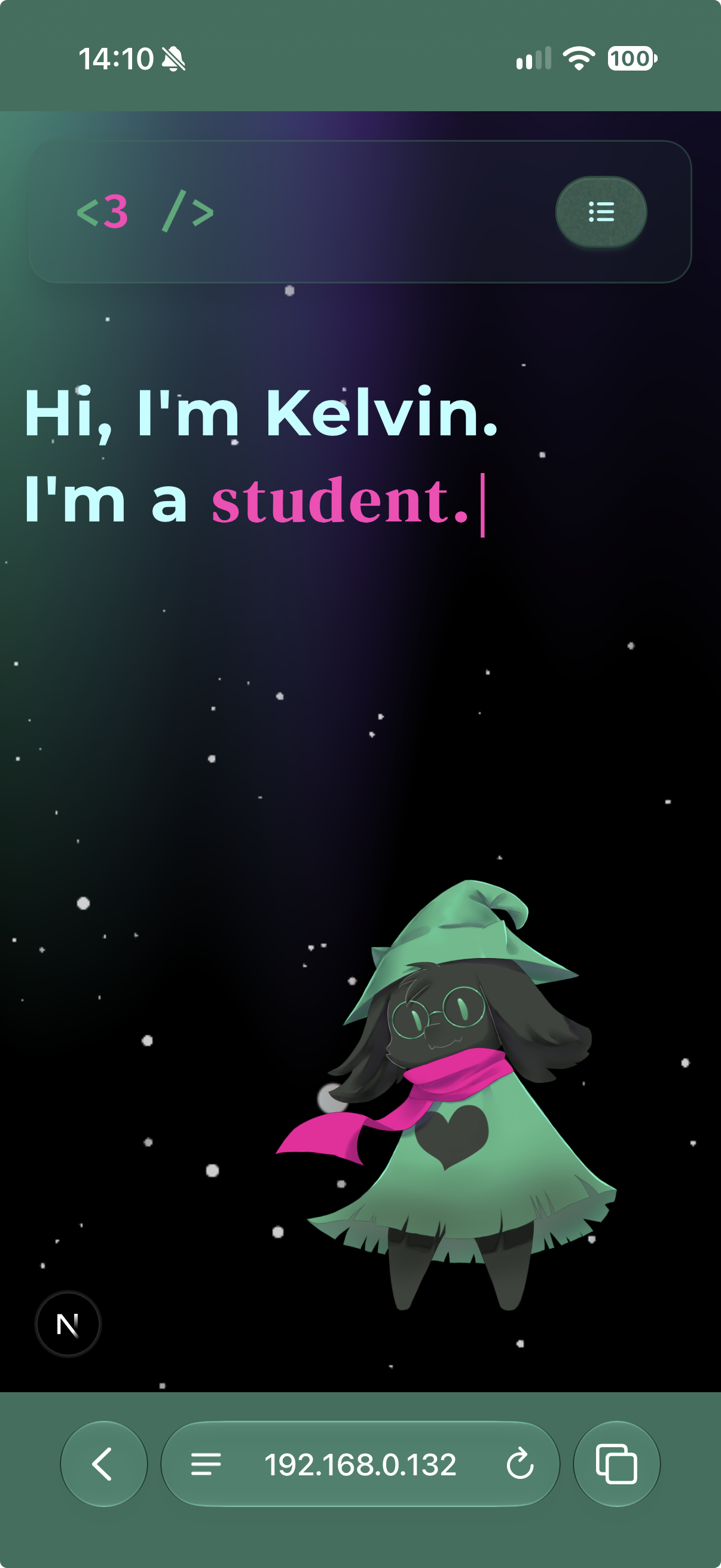
Look at those hideous bars at the top and bottom.
Since it's Safari, standard layout techniques completely fall apart. Because I hate myself and dared to use a custom background instead of boring plain color at the homepage, Safari’s background-sampling algorithm simply gave up and decided it's a good idea to choose the default background color of my website.
My first thought was typical web dev's denial: "It's just a height issue." So,
I tried setting height to 100vh. Safari ignored it and kept the bars awkwardly framed.
I tried 100dvh, 100svh, and 100lvh, hoping modern CSS units would save me. Still no luck.
I checked my meta viewport tags, screaming into the void about safe-area-inset-bottom. Didn't help either.
Okay, fine. I admit it: my "fancy background" choice was mostly to blame. On scrollable sites, Safari does render the bars reasonably well. But for a clean, static home layout, these bars were nothing more than pure, unadulterated visual pollution.
Then I remembered a meta tag named theme-color.
"No big deal," I thought. "I'll just set a meta name="theme-color" tag and tell Safari what color to render."
Except Apple decided that Safari's theme-color support is not cool, and they brutally dropped support since the liquid glass design was introduced(source).
At this point, I was ready to scrap the design entirely and go back to square one. But while scrolling GitHub, I stumbled across this repo by klmkyo. The demo site is simply hilarious with the animated rainbow top and bottom bars, but yet that's exactly what I needed.
The core idea is that Apple’s browser uses some kind of algorithms to figure out what color the floating UI's background should be. If you place invisible DOM elements in the exact zones Safari inspects, you can literally gaslight the browser into sampling whatever color you want. We are out here gaslighting a browser built by a billion-dollar company craving control over its own UI.
I dropped these two elements into my background:
<div className={cn("pointer-events-none fixed left-1/2 -translate-x-1/2 z-10 top-1 w-[89%] h-2.75 block mask-r-from-transparent mask-r-to-transparent")} aria-hidden={true}/>
<div className={cn("pointer-events-none fixed left-1/2 -translate-x-1/2 z-10 bottom-0.75 w-[89%] h-2.75 block mask-r-from-transparent mask-r-to-transparent")} aria-hidden={true}/>
and voila! It actually worked:
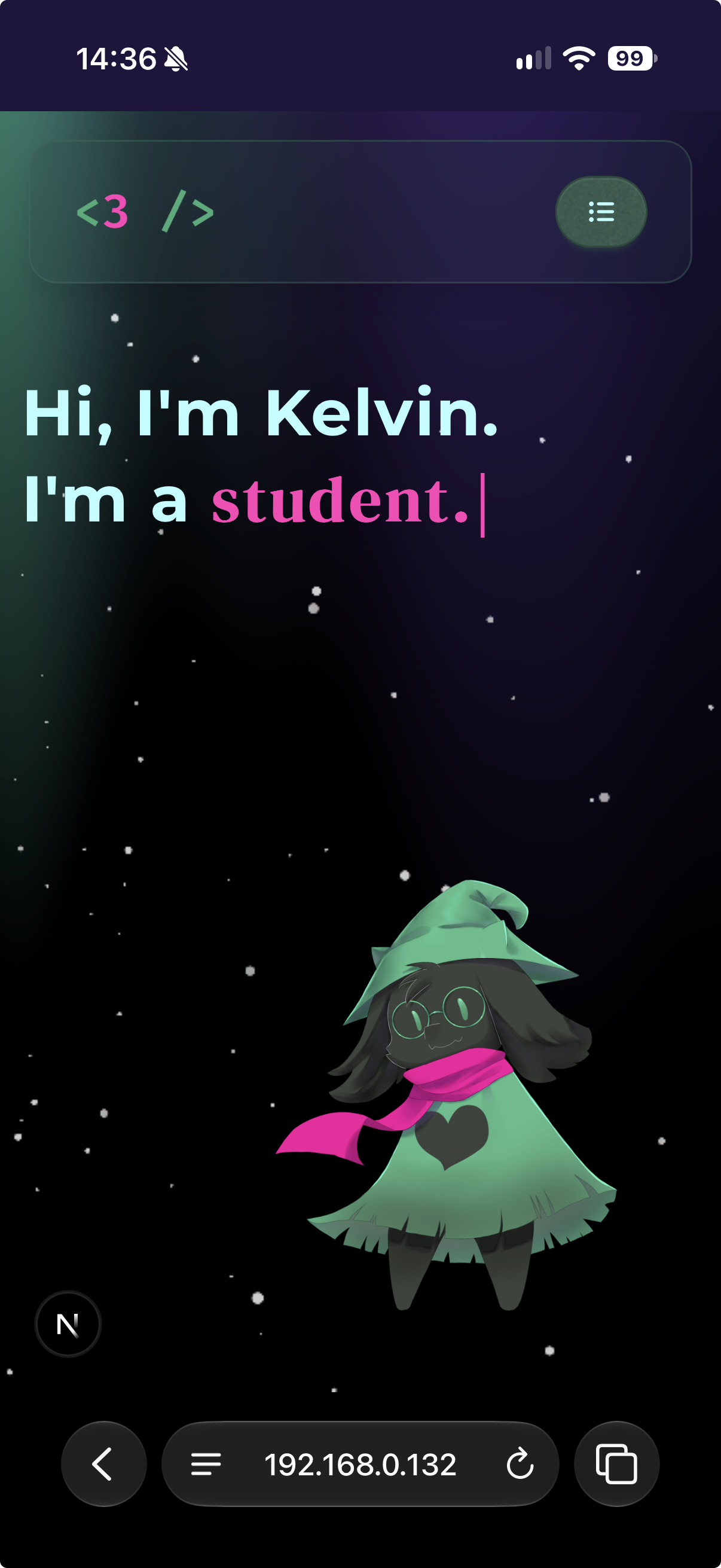
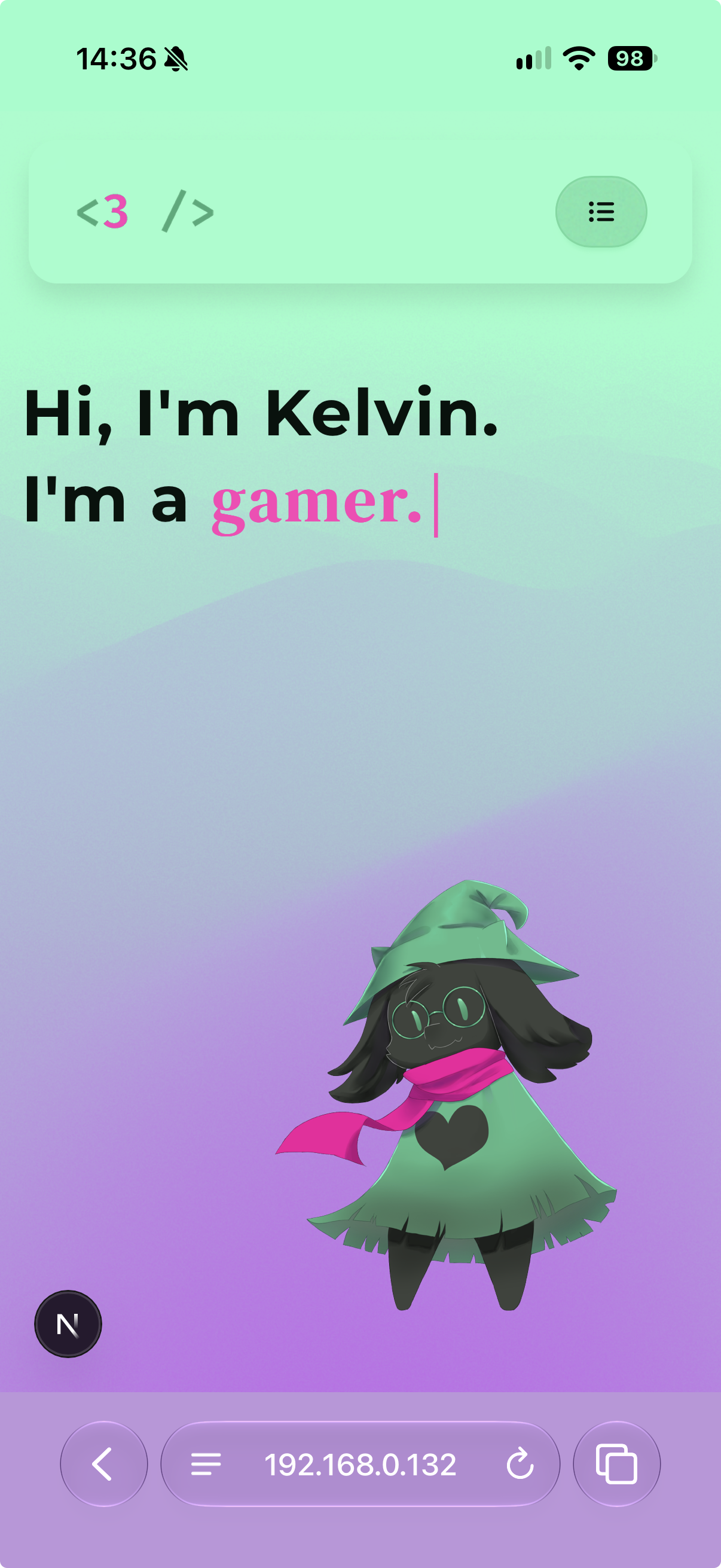
The best thing about this workaround is that I can programmatically control the color of the bars. So I can give it two sets of colors and change them dynamically based on the theme or any other condition.
From what I can tell, Safari doesn't care about the mask layer when sampling—as long as the elements are fixed or sticky, sit within the magic distance threshold from the top or bottom, and span at least 80% width, Safari swallows the bait and paints the bars correctly.
Is it ironic that we have to render invisible elements just to manipulate the appearance of a web browser's UI? Yes. Am I going to push it to production? You bet.
But as annoying as this battle was, I cannot even stay mad. Liquid Glass genuinely looks stunning when it works, and the physical interaction responses feel incredibly smooth. I guess fighting browser logic is just the price we pay for shiny glass effects.
Now if you'll excuse me, fixing this frontend mess made me appreciate native UI way too much. I might actually have to go learn Swift and dive into iOS native development next :oyes: See you around!